New Feature
A new Jobs page, and deleting a job is no longer permanent
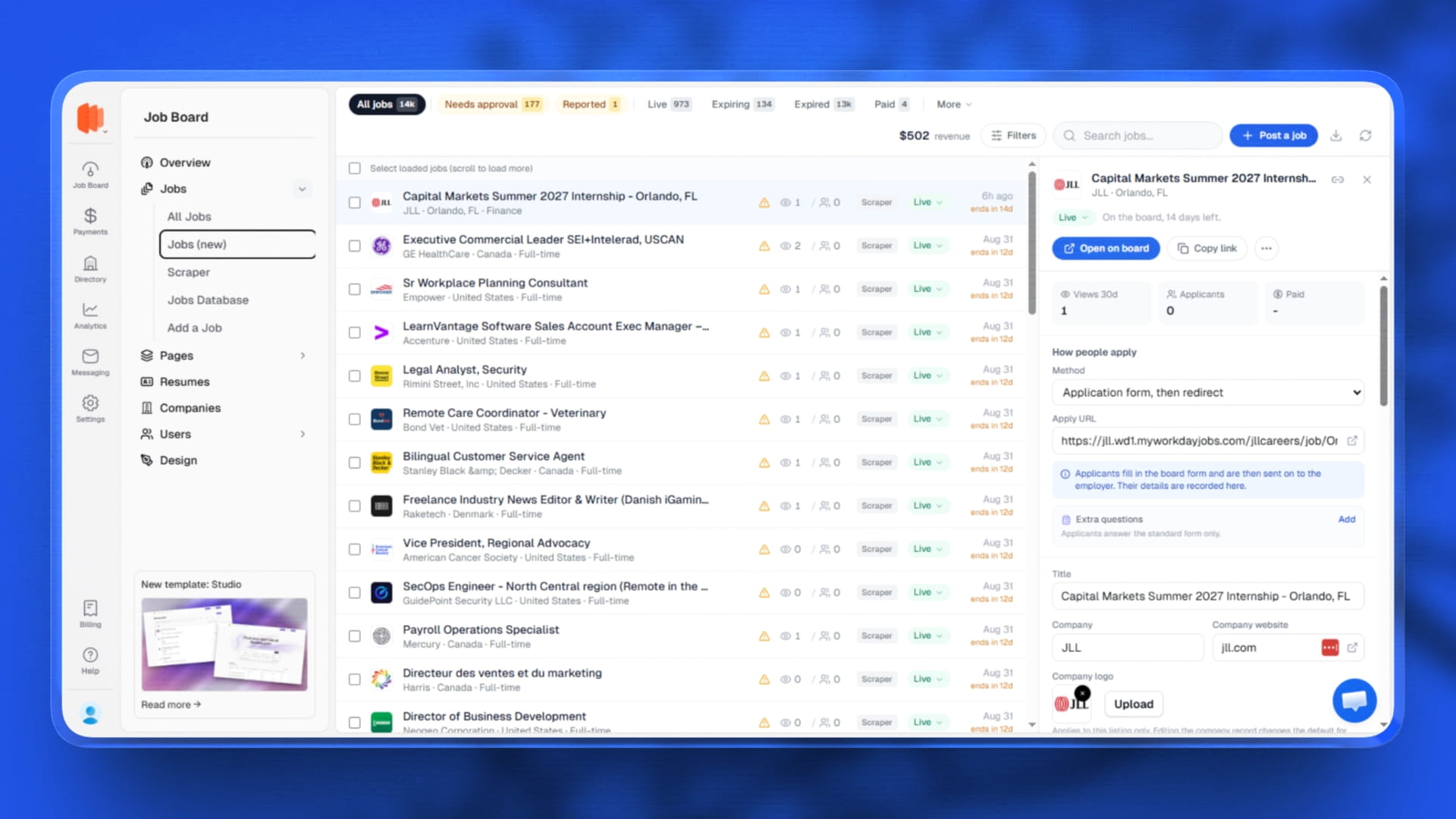
- A new Jobs page sits under Jobs in your menu as "Jobs (new)". Your existing list is untouched, so you can move across when it suits you.
- It opens on the work, not on a filter bar. Named queues run along the top with live counts: needs approval, expiring, reported and the rest. The counts are worked out from the same list you are looking at, so a chip can never say 12 while the table shows 9.
- Every row answers "why is this job not showing?" in one word with the reason next to it, and that word is also the control that changes it. No more guessing between expired, pending, hidden and unpaid.
- And "is it working?" Views, applicants and revenue sit on the row and load with it. While view data is still coming you see a dash rather than a zero that is not true.
- Open a job in a side panel and fix it there. Edit the fields you touch daily, saved as you go, with the description in a proper formatted editor instead of a plain box. That job's applications, payments and reports load with it.
- Deleting a job now hides it rather than destroying it. Applications, resumes and history stay intact, and the job can be brought back from the Deleted tab. A hidden job can never appear publicly, however it came to be hidden.
- Duplicate a job in one click when you are posting several similar roles.
- Bulk actions are genuinely bulk. Select rows and approve, renew, expire or delete the lot, because approving 178 pending jobs one panel at a time is not a workflow.
- Jobs attach themselves to the right company, so a company's page and its payment history stay complete without you tidying up after every import.